Resident Evil Requiem Best Settings: PC Optimization Guide (2026)
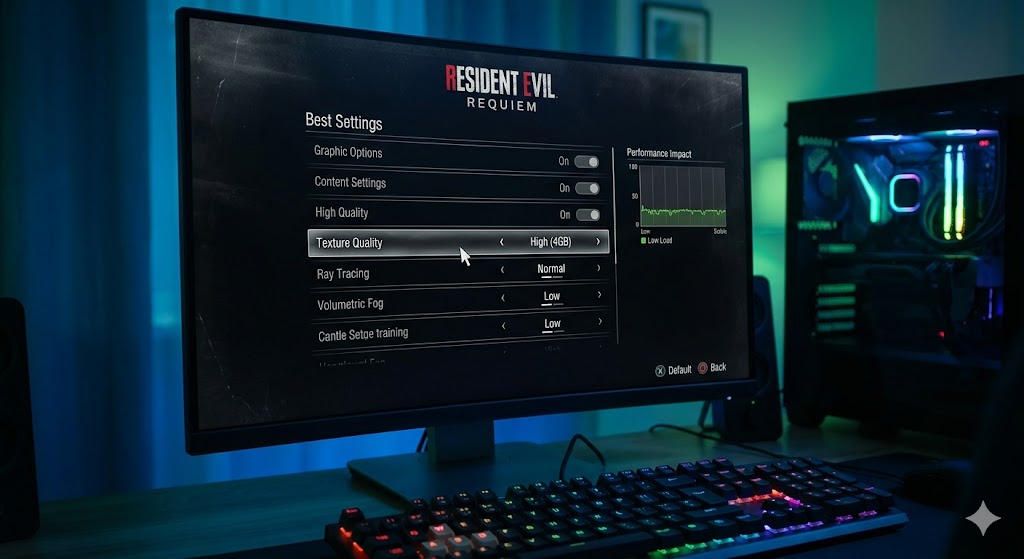
Resident Evil: Requiem is a visual masterpiece, but it can turn your PC into a furnace if you aren’t careful. Whether you’re rocking an older RTX 3060 or a brand new RTX 50-series card, finding the Resident Evil Requiem best settings is about balancing VRAM management with the game’s heavy Path Tracing features.
The “Golden Rules” of Requiem Performance
- Watch the VRAM Meter: Capcom’s RE Engine is notorious for “allocating” more VRAM than it actually uses, but in Requiem, if you hit the Red zone, you will experience shader compilation stutters. Stay in the White or Orange for stability.
- Standard Mesh Quality is a Trap: Setting Mesh Quality to “Standard” can actually cause frame time spikes in dense areas like Raccoon City. Low is recommended for 8GB cards, while High is only for 12GB+ cards.
- Path Tracing vs. Ray Tracing: Path Tracing is a massive hit. Unless you have an RTX 4080/5070 or better, stick to standard Ray Tracing or “Off” for a 25% FPS gain.
Optimized Settings (The “Sweet Spot” Preset)
Use these settings to maintain 60+ FPS on mid-range hardware (like an RTX 3060 Ti or RX 6700 XT) at 1440p.
| Setting | Recommendation | Why? |
| Upscaling | DLSS 4.5 / FSR 4 “Quality” | Essential for 1440p and 4K performance. |
| Ray Tracing | Normal | Huge visual boost for a moderate cost. |
| Path Tracing | Off | Only enable on high-end NVIDIA cards. |
| Texture Quality | High (2GB – 4GB) | 8GB cards should avoid “Ultra” to prevent stutter. |
| Mesh Quality | Low or High | Avoid “Standard” due to frame-pacing issues. |
| Shadow Quality | High | “Max” shadows look identical but eat 1.5GB more VRAM. |
| Volumetric Fog | Low | Massive FPS saver with minimal visual loss. |
| Hair Strands | Off | High VRAM cost (~1GB) and can cause physics glitches. |
| VFX Quality | Low | Prevents frame drops during combat and explosions. |
| Contact Shadows | On | Essential for making objects feel “grounded” in the world. |
Advanced Performance Fixes
- The Film Grain Mod: Even at 4K, the in-game Film Grain can make the image look muddy. I recommend the “No Film Grain” mod on NexusMods to clean up the DLSS/FSR image.
- NVIDIA Driver Trick: If you are using an RTX 40-series card and experience Path Tracing flickering, some users report that reverting to Driver 576.88 stabilizes the lighting.
- Ray Reconstruction: If you enable Path Tracing, ensure Ray Reconstruction is ON. It significantly reduces “denoising noise” (the fizzle effect on walls).






Post Comment