PS4 Jailbreak Guide: How to Unlock Your Console (And Why You Might Not Want To)
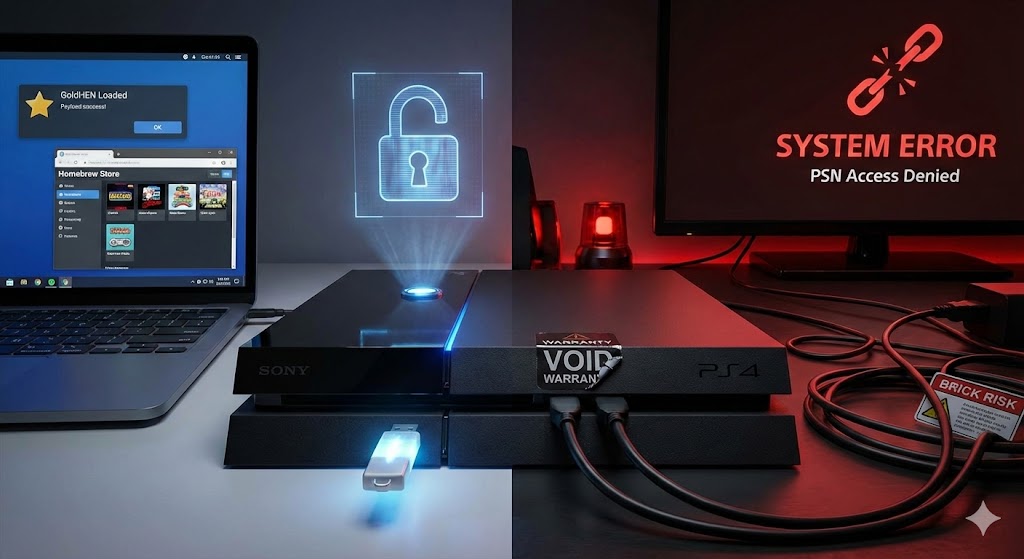
Modding your PS4 can breathe new life into an aging console, unlocking capabilities Sony never intended for you to have—like running Linux, playing retro games via emulators, and customizing your dashboard.
However, this is not a risk-free process. Before you even look at a USB drive, you need to understand the reality of what you are doing.
⚠️ The Critical Warning (Read This First)
Modding your PS4 violates Sony’s Terms of Service.
- No PSN: You will lose access to the PlayStation Network. You cannot play multiplayer online, sync trophies, or access the PlayStation Store.
- Bans: If you somehow manage to connect a modded console to PSN, your account and console will likely be permanently banned.
- Bricking Risk: While rare with modern exploits, messing with system files always carries a small risk of “bricking” your console (making it a paperweight).
- Game Compatibility: You cannot play physical or digital games that require a firmware version higher than the one you are currently on, unless you find community-made “backports.”
Step 1: The “Golden Rule” of Firmware
The most important factor is your System Software Version.
- Go to:
Settings>System>System Information. - The Cutoff: If your firmware is 11.00 or lower, you can mod your console.
- The Hard Truth: If you are on 11.02 or higher, you currently cannot mod your console. There is no way to downgrade your firmware easily. You are stuck waiting, likely for years.
Step 2: Choose Your Method
There are two main “Golden” firmwares. The method you use depends entirely on which version you are on.
Scenario A: You are on Firmware 9.00 (The “Gold” Standard)
This is considered the best firmware to be on because the exploit is stable and fast.
- What you need: A USB flash drive (formatted to exFAT) and a PC.
- The Exploit: It uses a bug in the PS4’s web browser and a specially crafted image file on the USB stick.
- The Process:
- You visit a specific exploit host website on the PS4 browser.
- The site loads the “GoldHEN” payload.
- It asks you to insert your USB drive.
- You insert it, wait for a notification, and remove it. Boom, you are jailbroken until you reboot.
Scenario B: You are on Firmware 9.03 – 11.00 (The “PPPwn” Method)
This is the new breakthrough exploit released in 2024. It is slightly more cumbersome than the 9.00 method but works perfectly.
- What you need: An Ethernet cable and a PC (or a Raspberry Pi).
- The Exploit: This attacks the PS4’s internet connection setup process (PPPoE).
- The Process:
- Connect your PS4 directly to your PC via Ethernet cable.
- Run a tool called “PPPwn GUI” on your PC.
- On your PS4, set up a new Internet Connection using “PPPoE” and hit “Test Connection.”
- The PC tool detects the signal and injects the “GoldHEN” payload over the cable.
- The jailbreak applies. You can now disconnect the cable.
Step 3: What Can You Actually Do?
Once “GoldHEN” (Homebrew Enabler) is running, your PS4 is unlocked.
- Homebrew Store: You can install a store app to download community-made games and utilities directly.
- Emulation: You can install RetroArch to play PS1, PS2, PSP, Nintendo, and Sega games.
- 60FPS Patches: Some PS4 games are locked to 30fps; modders have created patches to unlock them to 60fps on Pro consoles.
- Linux: You can actually turn your PS4 into a PC by running a Linux distro, allowing you to use Steam and play PC games (performance varies).
The “Issues” (The Downsides)
You asked for the issues, and this is where most guides fail to be honest. Here is the reality of living with a modded PS4:
1. The “Tethered” Annoyance This is not a permanent custom firmware like the PS3 or PSP had. Every time you turn your PS4 off completely, it resets to stock.
- If you restart your console, you lose the jailbreak.
- You must repeat the exploit process (inserting the USB or connecting the Ethernet cable) every single time you boot up. Rest Mode usually preserves the jailbreak, but if you lose power, you have to re-do it.
2. The Backport Struggle New games (like FC 24 or Call of Duty: MW3) require newer firmware (e.g., 11.50) to run.
- Since you must stay on 9.00 or 11.00, you cannot natively play these games.
- You must wait for a “Backport”—a hacked version of the game file that has been modified to run on older software. Not every game gets backported immediately, or at all.
3. DLC and Updates are a Nightmare You cannot just download a game update from the internet. If you have a modded game, you need a modded update file (fPKG) that matches the region and ID of your game exactly. Managing these files can be a headache.
4. Hardware Failure Risks Some modding tools allow you to adjust fan speeds to keep the console cool. If you mess this up and set the fan too low while running intensive homebrew, you can overheat and permanently damage your APU (processor).
What I can do for you next
Would you like me to guide you on how to check your specific firmware version to see if you are even eligible, or would you prefer a list of the safest homebrew apps to start with if you decide to go ahead?




Post Comment